

AI can generate working code remarkably quickly. A developer can describe a WordPress feature, receive an implementation, generate tests and reach a green test suite in a fraction of the time the same task might once have taken.
That is useful. It is also easy to misinterpret.
Code that compiles, runs and passes its tests has demonstrated something important: the tested behaviour worked under the tested conditions. It has not demonstrated that every important condition was tested, that the change respects the existing architecture, or that it is safe to deploy into a system other components already depend on.
This distinction is particularly important in WordPress plugin development. A function rarely exists in isolation. It may participate in hooks, filters, REST endpoints, database upgrades, background jobs, caching, permissions, third-party integrations or multisite behaviour. A locally correct change can therefore create a system-level regression without ever failing its own unit tests.
The problem is not that AI-generated code is inherently unsafe while human-written code is inherently trustworthy. Humans make the same classes of mistakes.
The more useful engineering question is:
What evidence do we need before code — regardless of who or what generated it — is safe to merge into an existing WordPress system?
AI can write working code and still create engineering risk
AI-assisted development changes implementation speed more than it changes the fundamentals of software engineering.
An AI tool can generate a function, refactor a class, build a REST endpoint or produce a database migration. It can also write tests for the code it created. None of those abilities automatically gives the tool complete knowledge of the application around the change.
The model may know what is present in its context window. The application may depend on contracts, historical behaviour, data states, external plugins or operational assumptions that are not present there at all.
That is why AI-generated code security should not be reduced to checking whether the output contains an obvious vulnerability. The broader question includes architecture, compatibility, upgrade paths and regressions.
The WordPress project itself takes a similar accountability-first position in its AI contribution guidelines: AI tools can assist development, but the person submitting the code remains responsible for understanding and validating it.
Passing tests is only one engineering gate
It helps to separate several questions that are often compressed into one statement such as “the code works.”
| Engineering gate | Question |
|---|---|
| Code generation | Did the tool produce an implementation? |
| Functional correctness | Does the implementation perform the intended task under the tested conditions? |
| Architectural consistency | Does the change preserve the contracts and assumptions of the surrounding system? |
| Security validation | Are permissions, inputs, outputs, queries, secrets and external dependencies handled safely? |
| Regression safety | Does existing behaviour still work after the change? |
| Production readiness | Can the change be released, monitored and rolled back safely? |
A change may pass the first two gates and still fail the remaining four.
This leads to one of the most important principles in AI-assisted development:
A passing test suite proves that the tested expectations were satisfied. It does not prove that the right expectations were tested.
AI / Engineering depth
Functional correctness is necessary, but it is not the whole system
A function that produces the expected output has passed an important test. But applications are made from relationships between components, not isolated functions.
The next step is to ask whether the implementation still behaves correctly when those relationships are restored: existing hooks, stored data, permissions, caches, background processing, external integrations and older installations.
Why WordPress makes local correctness especially deceptive
WordPress is an extensible application platform. Themes, plugins and core functionality communicate through public APIs, hooks, stored data and conventions that may be used by code far away from the function currently being modified.
This means that local correctness and system correctness are not the same thing.
Hooks and filters are application contracts
WordPress actions and filters are explicit extension points. Other components may depend on a hook being fired at a particular moment, receiving particular arguments or returning data in a particular format.
An AI-generated refactor can look cleaner and still silently change one of those contracts. The new function may pass every test written specifically for it while another plugin, theme component or legacy module stops behaving correctly.
The WordPress Plugin Handbook describes hooks precisely because they are interaction points between components. Treating them as implementation details can create regressions outside the scope of the changed file.
Application state lives beyond one function
A plugin may share state through options, transients, custom database tables, scheduled events, generated files, object caches or internal services.
A change that updates one representation but not another can be functionally correct at the database level and still produce stale output to the user.
This is one reason accumulated system complexity matters. The more undocumented relationships a project contains, the easier it becomes for a locally reasonable change to add another layer of WordPress technical debt.
A fresh installation is not the same as an upgrade
Database changes provide a particularly clear example.
An AI tool may correctly create a table or add a column during plugin activation. Tests on a fresh installation pass. Existing customers, however, already have an older schema and existing data.
WordPress documentation on creating and updating plugin tables recommends tracking schema versions and handling database upgrades explicitly. Activation logic alone is not a complete upgrade strategy.
A test that starts from an empty database therefore answers a different question from a test that upgrades a real previous version.
Multisite changes assumptions again
WordPress Multisite introduces network-level and site-level behaviour, shared installation concerns and different activation contexts. Code that works correctly on a standard single-site installation may make incorrect assumptions when network-activated.
Not every plugin needs to support Multisite. But when compatibility is part of the product contract, it has to be tested deliberately rather than assumed from a successful single-site run.
AI is a tool, not an engineering decision-maker
There is a temptation to discuss AI coding as if the tool itself were either safe or unsafe. That framing is too simple.
AI is a development tool. Its value depends on the quality of the context, constraints, verification and engineering judgement around it.
A developer who gives the tool a narrow scope, explains the relevant architecture, defines compatibility requirements and then independently reviews the result can use AI to accelerate useful work.
The same tool can also accelerate technical debt when it is allowed to make architectural decisions from incomplete context, invent new abstractions unnecessarily or redefine tests until its own implementation passes.
AI can speed up good decisions — or scale bad assumptions faster.
This is also why platform choice and implementation quality should not be confused. As discussed in WordPress vs Static Sites, architecture should be chosen according to real requirements. Once that architecture exists, individual changes still have to respect it.
Security: a WordPress nonce is not authorization
Security provides some of the clearest examples of code that can work perfectly while enforcing the wrong rules.
Authentication is not authorization
An authenticated user is not automatically allowed to perform every action available in WordPress.
A state-changing endpoint should verify that the current user has the capability required for that specific operation. The standard WordPress mechanism is current_user_can() or another appropriate capability check.
This distinction matters because a happy-path test often runs as an administrator. The request succeeds and the test passes. That result says nothing about whether a subscriber, contributor or other lower-privileged account can call the same code path.
A nonce helps with CSRF, but does not grant permission
The WordPress nonce documentation is explicit: nonces should not be relied upon for authentication, authorization or access control.
A nonce helps confirm that a request originated from an expected interaction context. It does not prove that the user is allowed to perform the requested action.
An AI-generated endpoint that verifies a nonce but omits capability checks may therefore appear protected while still exposing an authorization problem.
REST endpoints need real permission checks
Custom WordPress REST routes define a permission_callback. For protected operations, that callback should enforce the permissions appropriate to the action.
Simply checking whether a user is logged in is often too broad. The route may modify settings, delete content or expose private data that requires a more specific capability.
The official REST API endpoint documentation treats permission logic as a first-class part of route registration rather than an optional extra.
Validation, sanitization and escaping solve different problems
These terms are often grouped together, but they are not interchangeable.
- Validation asks whether the value is acceptable at all.
- Sanitization normalizes or removes unwanted input.
- Escaping makes output safe for the context where it is rendered.
A generated function can sanitize a value and still fail to validate whether that value is allowed for the business operation. It can validate input correctly and later output stored data in an unsafe HTML context.
WordPress provides context-specific APIs for these tasks; using one category as a substitute for all three creates false confidence.
Custom SQL needs explicit parameterization
When custom SQL is genuinely required, dynamic values should be separated from the SQL statement using prepared queries rather than string concatenation.
WordPress provides $wpdb->prepare() for this purpose.
Tests with trusted fixture data may never expose an injection problem. Negative tests using hostile or malformed input are therefore a different security layer from ordinary functional tests.
Secrets and dependencies create separate risks
AI-assisted changes can also introduce risk without containing a traditional coding vulnerability.
A generated example may embed a token, copy credentials into a configuration file or add a package that was not necessary for the task. A new dependency also introduces its own maintenance, licensing and supply-chain considerations.
Dependency review and secret scanning belong in the development workflow precisely because code review is not limited to the lines implementing business logic.
Why AI-generated tests can validate the AI’s own mistake
Tests generated by the same AI that wrote the implementation can be useful. They can also share the same incorrect assumptions.
This is not a uniquely artificial-intelligence problem. Human developers also write tests that reflect what they implemented rather than what the system was supposed to guarantee.
AI can amplify the problem because implementation and tests may be generated from the same incomplete interpretation of the requirements.
The OWASP Secure Coding with AI guidance explicitly warns against allowing AI-generated tests and reviews to become the only evidence that AI-generated code is safe.
A test suite can be internally consistent and still validate the wrong contract.
When Your Tests Agree With Your Code — But Not With WordPress
WP Sudo, an experimental WordPress reauthentication plugin, provides a concrete example of this failure mode. By the end of the project, its documented test suite included 1,308 unit tests, 243 integration tests and 112 end-to-end tests — 1,663 automated tests in total — together with static analysis and a review gate. A later audit nevertheless identified seven ways in which the plugin’s request-matching logic disagreed with the behaviour WordPress Core actually used to dispatch those requests. The project’s verification record subsequently checked all seven findings against WordPress 7.0 source.
The discrepancies were individually small but structurally important: they included differences in REST route case sensitivity, accepted HTTP methods, request fields and parameters, and the order in which conditions were evaluated. Five involved classic admin, AJAX or profile-related paths, while two involved REST behaviour.
The security scope matters. These were not vulnerabilities in WordPress Core, and they did not give anonymous or lower-privileged users a new path to administrator access. They bypassed Sudo’s additional reauthentication gate in the context of an already authenticated administrator session.
The more important engineering lesson is why the test suite did not expose the problem. As the project’s post-mortem explains, its request fixtures were derived from the same model of a request that the plugin itself used for matching. When that model was wrong, implementation and tests could still agree perfectly with each other. Self-consistency did not guarantee correctness against the external WordPress runtime.
The project author reports that a fresh-context AI review surfaced the discrepancies; the technical findings were then checked against WordPress Core. That does not mean Sudo was an AI-generated plugin, and it does not mean AI review proves security. It shows why independent review can be useful when it derives its questions from a different source than the implementation and its own tests.
For AI-assisted development, the lesson is direct: an AI can generate an implementation and then generate tests from the same interpretation of a platform contract. Green results may prove that the code and tests agree with each other while both disagree with the platform they are supposed to integrate with.
How to avoid self-validating tests
- Derive adversarial test cases from WordPress Core behaviour or another authoritative external contract, not only from the implementation being tested.
- Use real-runtime integration tests when platform behaviour is part of a security or compatibility boundary.
- Avoid mocks and fixtures that merely reproduce the implementation’s own interpretation of the external system.
- Separate functional success from permission, security-boundary, regression and upgrade testing.
Unit tests answer a narrow question
Unit tests are useful for verifying isolated behaviour. They are intentionally designed to remove much of the surrounding system.
That isolation is valuable, but it also means a unit test cannot prove that the component integrates correctly with everything it mocked away.
Integration tests protect system boundaries
Integration tests verify interactions with WordPress APIs, the database, neighbouring services or other modules.
They are particularly important when a change modifies a public hook, REST response, storage format or shared service.
Regression tests protect behaviour that already existed
A new feature is only part of the release.
If an existing customer depends on old behaviour, the engineering question is not simply “Does the new function work?” It is also “What did this change that we did not intend to change?”
Negative tests challenge assumptions
Happy-path tests often confirm the easiest possible state:
- valid input;
- administrator permissions;
- available dependencies;
- successful external requests;
- existing database records.
Negative tests should deliberately exercise malformed input, missing permissions, expired state, duplicate requests, partial failures and unavailable dependencies.
Database upgrade tests need historical state
A migration should be tested from actual previous schema versions and representative existing data, not only against a fresh database.
This is one of the easiest places for generated tests to accidentally prove only that the latest installation path works.
Browser and UI verification still matter
PHP unit tests cannot prove that a JavaScript-driven settings screen still behaves correctly in a browser, that an AJAX action updates the right state, or that a permission error is presented correctly to the user.
Where the change affects the interface, real UI verification remains part of the evidence.
Performance regressions can hide inside correct code
A function can return the correct result and still double database queries, invalidate a reusable cache too broadly or move expensive processing into the visitor request path.
This is why performance testing belongs in regression review when a change affects runtime behaviour. The same principle applies to WordPress Core Web Vitals: first identify which part of the delivery path changed, then measure that part rather than relying on a single headline score.
Five WordPress scenarios where “all tests passed” is not enough
The following examples are hypothetical engineering scenarios. They are not descriptions of incidents in SEO Expert products.
Example A: a permission regression
An AI tool creates a REST endpoint that updates plugin configuration.
The functional test runs as an administrator, sends a valid request and confirms that the setting was changed. Everything passes.
But the route checks only that the request contains a valid nonce, or only that the user is authenticated. A lower-privileged account can therefore call an operation it should not control.
The endpoint is functionally correct. Its authorization model is not.
Example B: background processing loses an architectural guarantee
An AI-generated refactor makes a background worker smaller and easier to read.
The unit test confirms that a queued job is processed successfully.
What the test does not know is that the existing application also depended on a lock to prevent concurrent execution, retry state after partial failure and idempotent handling when the same job is observed twice.
WordPress WP-Cron can schedule work, but application-level locking, retry rules and idempotency are responsibilities of the plugin architecture itself.
The rewrite can therefore pass its isolated test and still create duplicate work in production.
Example C: a database migration works only on new installations
The generated plugin version adds a new column during activation. A clean install creates the correct table and all tests pass.
Existing installations are different. They already contain the old schema and data. If the upgrade path is not executed independently of first activation, those sites never receive the structural change the new code expects.
The implementation is correct for installation and broken for upgrade.
Example D: the database changes but the cached view does not
A function correctly updates stored data.
The database assertion passes.
But another part of the plugin still serves a transient or cached representation generated before the update. Users continue to see stale information until the cache expires.
The correct storage layer was updated. The complete delivery path was not.
Example E: the new contract passes its tests while another module expects the old one
An AI refactor changes the shape of an array returned through a filter or public method.
The AI also updates the tests to expect the new structure. They all pass.
A third-party extension or older internal module still expects the original contract.
The generated implementation and its generated tests agree perfectly with each other. The application no longer agrees with them.
What production-ready review should look like
Production readiness is not one final command that runs after development. It is accumulated evidence from several independent checks.
- Restate the requirement. Confirm what behaviour should change and what behaviour must remain unchanged.
- Review the architecture. Identify hooks, public methods, storage formats, scheduled jobs, caches and external integrations the change touches.
- Read the generated code. Do not ship code that nobody responsible for the project can explain.
- Review permissions and input boundaries. Check capabilities, REST permissions, validation, sanitization, escaping and database queries.
- Verify dependencies. Confirm why each new package or external service is required and review its maintenance and security implications.
- Run multiple test layers. Unit, integration, regression, negative, security and upgrade tests answer different questions.
- Use static analysis and platform-specific checks. Tools such as WordPress coding standards and Plugin Check can detect classes of problems that functional tests do not.
- Test representative existing data. Especially when database or configuration structures change.
- Verify UI behaviour where relevant. Browser-based workflows should be exercised as users experience them.
- Check performance-sensitive paths. Do not introduce unnecessary work into every request simply because the result is functionally correct.
- Deploy to staging. Validate the change inside an environment that resembles production.
- Prepare rollback. A safe release includes a realistic path back if an unexpected integration problem appears.
- Monitor after release. Errors, failed jobs, performance changes and support reports may reveal conditions no pre-release test reproduced.
This process may sound slower than asking an AI to “review the code again.” In practice, AI can help with many of these steps. The difference is that each tool is being used as part of a verification process rather than being asked to certify its own output.
Independent review helps, but a second AI is not proof
Using a second model to review code generated by the first can be useful.
A fresh model may notice missing capability checks, inconsistent naming, unhandled error states or assumptions the original tool overlooked. It can propose adversarial tests and compare an implementation against an explicit requirement.
That is additional evidence, not a guarantee.
The second system may share similar training patterns, receive the same incomplete context or simply accept the same incorrect architectural assumption.
The same principle applies to static analysis. Automated tools are extremely useful because they examine different classes of evidence. They do not prove the absence of every defect.
The NIST Secure Software Development Framework treats design review, code analysis, testing, release practices and vulnerability response as separate parts of secure development for exactly this reason.
What research on AI-generated code actually tells us
Statistics about AI-generated code need careful interpretation because results depend heavily on the model, programming language, prompt and security tests used.
One useful example is Veracode’s research into AI-generated code security. In its benchmark, models were asked to complete programming tasks in Java, JavaScript, C# and Python across selected vulnerability categories, without specific security prompting. The generated outputs were then evaluated using static application security testing.
In that benchmark, roughly 45% of the generated coding tasks failed the security checks.
That number should not be translated into the claim that “45% of all AI-generated code is insecure.” The study did not test every programming language, every model, every prompt or WordPress/PHP plugin development specifically.
The more useful conclusion is narrower: code can look syntactically correct and functionally plausible while still containing security defects, and the failure rate changes depending on the class of problem being tested.
This reinforces the engineering case for independent security validation rather than providing a universal percentage for AI code quality.
The real question is not “Did the tests pass?” but “Is the change safe to merge?”
Before merging an AI-assisted WordPress change, a technical reviewer should be able to answer several separate questions.
| Question | Evidence to look for |
|---|---|
| Does the code do what was requested? | Functional requirements and targeted tests |
| Does it preserve existing system contracts? | Architecture review and integration tests |
| Are permissions correct? | Capability and negative permission tests |
| Are inputs and outputs safe? | Validation, sanitization, escaping and security analysis |
| Does an existing installation upgrade safely? | Migration tests using previous schemas and representative data |
| Are cache and background processes still coherent? | Integration and state-transition tests |
| Did existing behaviour regress? | Regression suite and UI verification |
| Can the release be reversed? | Backup, rollback and deployment plan |
| Will problems be visible after deployment? | Monitoring, logs and release observation |
That is a broader standard than “green tests,” but it is also a more realistic description of engineering responsibility.
The same distinction matters in broader technical work. A website can appear healthy while still containing hidden technical SEO problems; software can behave correctly in one test while still violating an assumption outside the tested path.
Frequently asked questions
Is AI-generated WordPress code safe?
It can be safe, just as human-written code can be safe. The source of the code does not remove the need for review. Security depends on the implementation, the context in which it runs and the verification performed before release.
Are passing tests enough to deploy AI-generated code?
No. Passing tests show that the tested scenarios behaved as expected. Production readiness also requires architectural review, security validation, regression testing, upgrade checks and an appropriate deployment and rollback process.
Can AI review code written by another AI?
Yes, and it can be useful as an additional review layer. A second AI may identify missed assumptions or suggest negative tests. It should not be treated as proof of correctness because it may share the same incomplete context or similar blind spots.
Why is a WordPress nonce not enough to protect an action?
A nonce helps protect against cross-site request forgery, but it does not determine whether the current user is authorized to perform the action. Capability checks such as current_user_can() are required for authorization.
What should be tested when AI changes a WordPress plugin database?
Test both fresh installation and upgrades from existing schema versions. Include representative existing data, failure cases, repeated upgrades where relevant and compatibility with the code that reads the updated schema.
Does using AI create technical debt?
Not automatically. AI can also help reduce technical debt. The risk appears when generated changes introduce unnecessary abstractions, duplicate existing services, ignore established contracts or are merged without enough architectural context and review.
AI can accelerate implementation, not outsource responsibility
AI-assisted software development is valuable precisely because implementation can become faster.
That speed does not remove the need to understand what is being changed.
A generated function still runs inside an architecture. A REST endpoint still needs an authorization model. A database change still has to upgrade existing installations. A cache still has dependencies. A background job can still run twice. An integration can still depend on yesterday’s contract.
The strongest development workflow therefore does not try to prove that AI code is inherently safe or inherently unsafe.
It treats AI as a powerful engineering tool and applies the same question we should ask of every meaningful software change:
What evidence do we have that this change is safe for the entire system, not just the scenario that generated a green test?
Green tests are useful evidence. Production readiness is a broader engineering judgement supported by architecture review, security checks, regression testing, deployment discipline and accountability.
Primary sources
- WordPress AI — AI Guidelines
- WordPress Developer Resources — Nonces
- WordPress Plugin Handbook — Checking User Capabilities
- WordPress REST API Handbook — Adding Custom Endpoints
- WordPress Developer Resources — Sanitizing Data
- WordPress Developer Resources — wpdb::prepare()
- WordPress Plugin Handbook — Hooks
- WordPress Plugin Handbook — Creating Tables with Plugins
- WordPress Plugin Handbook — Understanding WP-Cron Scheduling
- WordPress Developer Resources — Transients
- WordPress Developer Resources — Multisite
- WordPress.org — Plugin Check
- WP Sudo — Final Security Finding
- WP Sudo — Audit Verification Record
- WP Sudo — Post-mortem
- Dan Knauss — Why I Retired Sudo
- OWASP — Secure Coding with AI Cheat Sheet
- NIST — Secure Software Development Framework
- Veracode — Spring 2026 GenAI Code Security Research

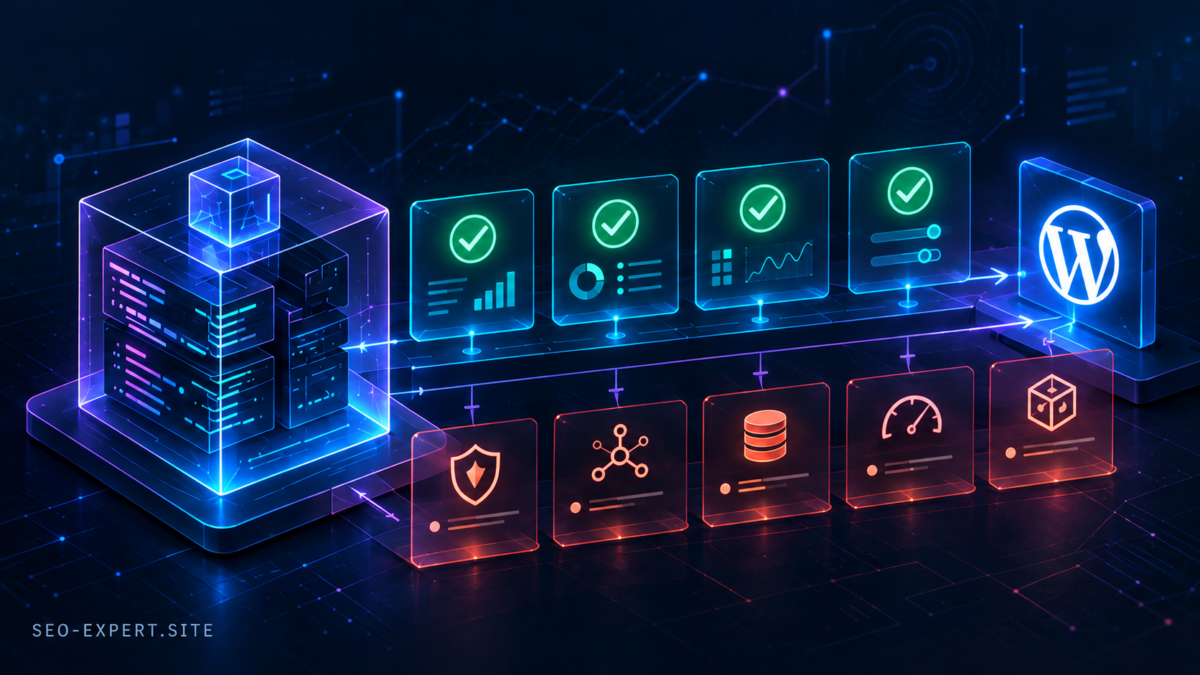
If you missed the interactive scene in the article, you can jump directly to it here: https://seo-expert.site/ai-generated-wordpress-code-security/#seo-ai-review-map
The scene visualizes the same engineering idea described in the article as a stack of six layers:
Tests Passed → Functional Correctness → Architectural Consistency → Security Validation → Regression Safety → Production Readiness
The point is that green tests are only the first visible layer. Each deeper layer represents another question that has to be answered before a change is really ready for production.
On desktop, click the visible edge of the next card to activate the next layer. You can move forward through the stack this way, and return to previous layers as well.
The visual depth is meant to make the relationship between those engineering gates easier to grasp than a flat checklist.
I’d be interested to hear whether this kind of interactive technical visualization helps explain the idea better than a conventional diagram.